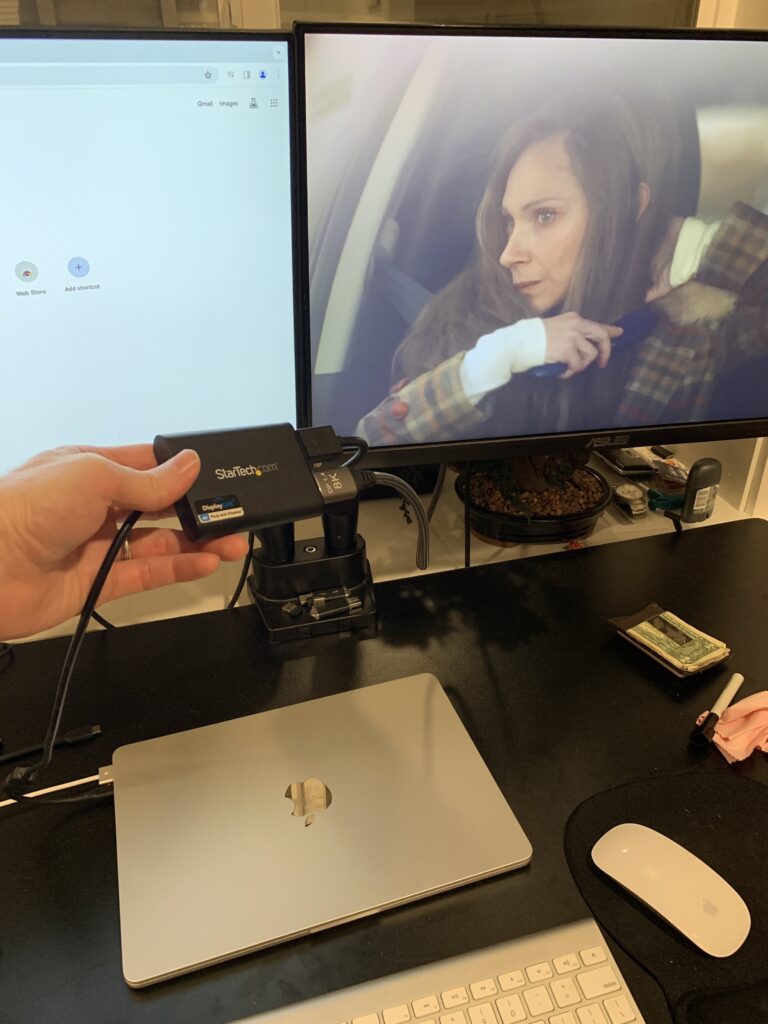
When I started using a DisplayLink enabled dual monitor adapter for my MacBook Air M2, I was furious when it initially appeared that I couldn’t watch Netflix on my computer while using this adapter.
I like to play poker on my computer and watch Hulu at the same time, so this was very frustrating.
But now that I’ve found the simple workaround (after searching for weeks), I’m sharing it with you so you can resolve this issue in less than 30 seconds and use your monitors to watch Netflix or Hulu (or most other streaming services) while using a DisplayLink Adapter.
The Myths about Screen Recording
Reddit and other forums are filled with answers that basically say “when you use DisplayLink adapters, your computer thinks you’re recording your screen, so it disables movie streaming because it thinks you’re trying to bootleg the movies.”
This is not true, and the answer is actually much simpler than this.
The 10 Second Fix to Stream Netflix/Hulu while using a DisplayLink Adapter:
The TL:DR answer is that you basically have to disable hardware acceleration in your browser and then it will work (don’t worry, you don’t need any tech knowledge to do this).
Here’s how it works:
Step 1: Download Chrome
This doesn’t work using Safari, so if you’re on a Mac, you’ll need to download the Chrome browser for free.
Step 2: Navigate to Browser Settings
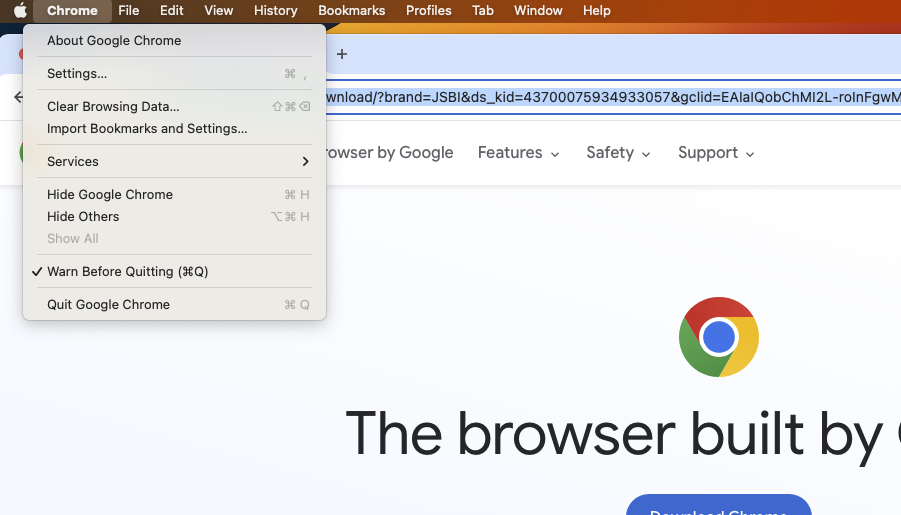
Click “Chrome” in the upper menu bar, then select “Settings…”
Step 3: Disable Hardware Acceleration
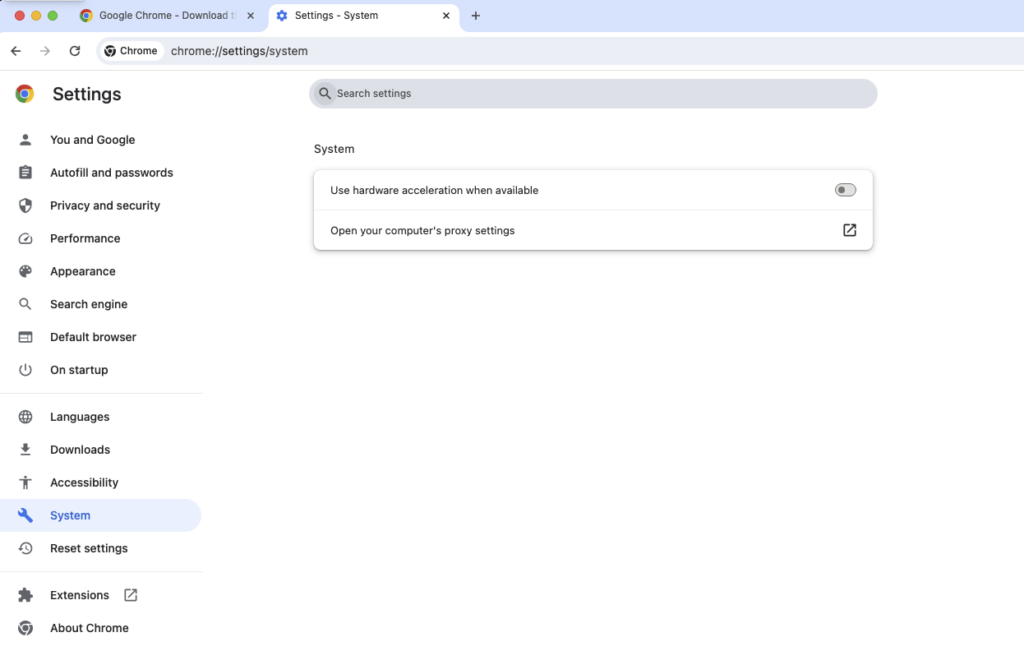
In the settings menu, click on the “System” tab, then make sure the thing that says “Use hardware acceleration when available” is TURNED OFF.
Step 4 (Do Not Skip): Restart Browser
The changes will not take effect until you completely shut down Chrome and restart it.
Once you do this and re-open Chrome, you should be good to go to your streaming service and start using it!
Wrapping up
That’s pretty much all you need to know to fix this, at least that’s what worked for me to stream content while using my StarTech DisplayLink adapter.
Hopefully this saved you some time and frustration and will get you streaming your favorite films and shows ASAP so you can unwind and relax!